How to use
From replay to a three-AI comparison on one screen (about 10 minutes the first time)
1Get your replay URL
Mahjong Soul: copy the share URL from your game record. Tenhou: copy the replay URL (tenhou.net/0/?log=…).
2Add the replay, then use the buttons
Press “+ Add replay”, paste the replay URL and save — buttons that send it to each AI become available.
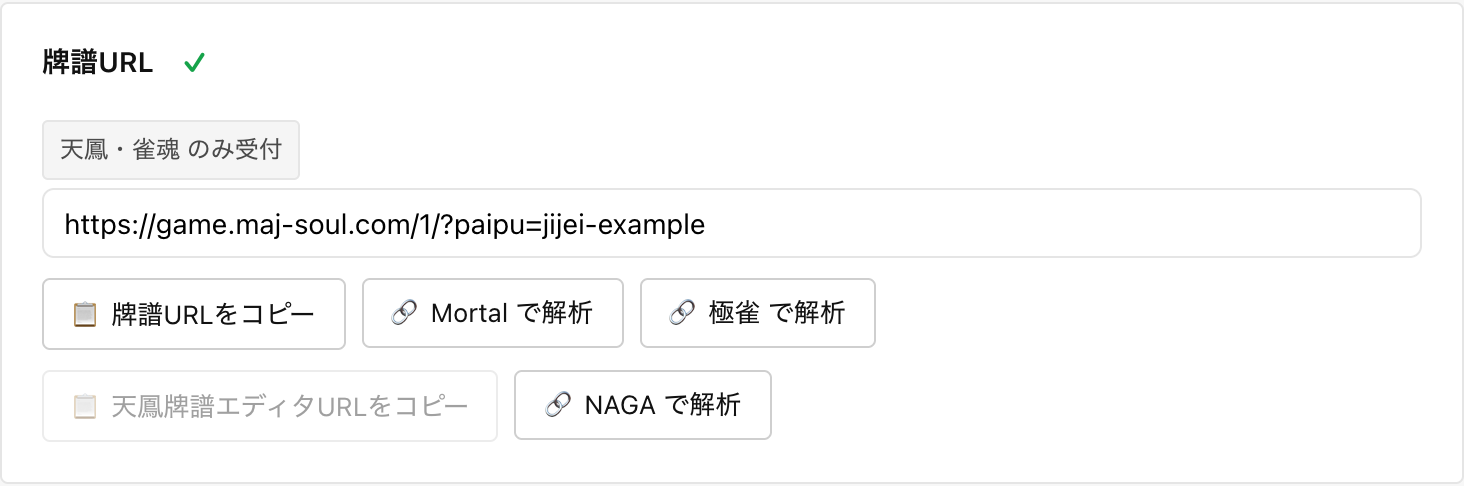
Tip: Mortal → register its result URL → NAGA / Gokujan is the fastest order. Mortal alone is enough. NAGA has its own usage terms (points, etc.).
3Paste the result URLs and save
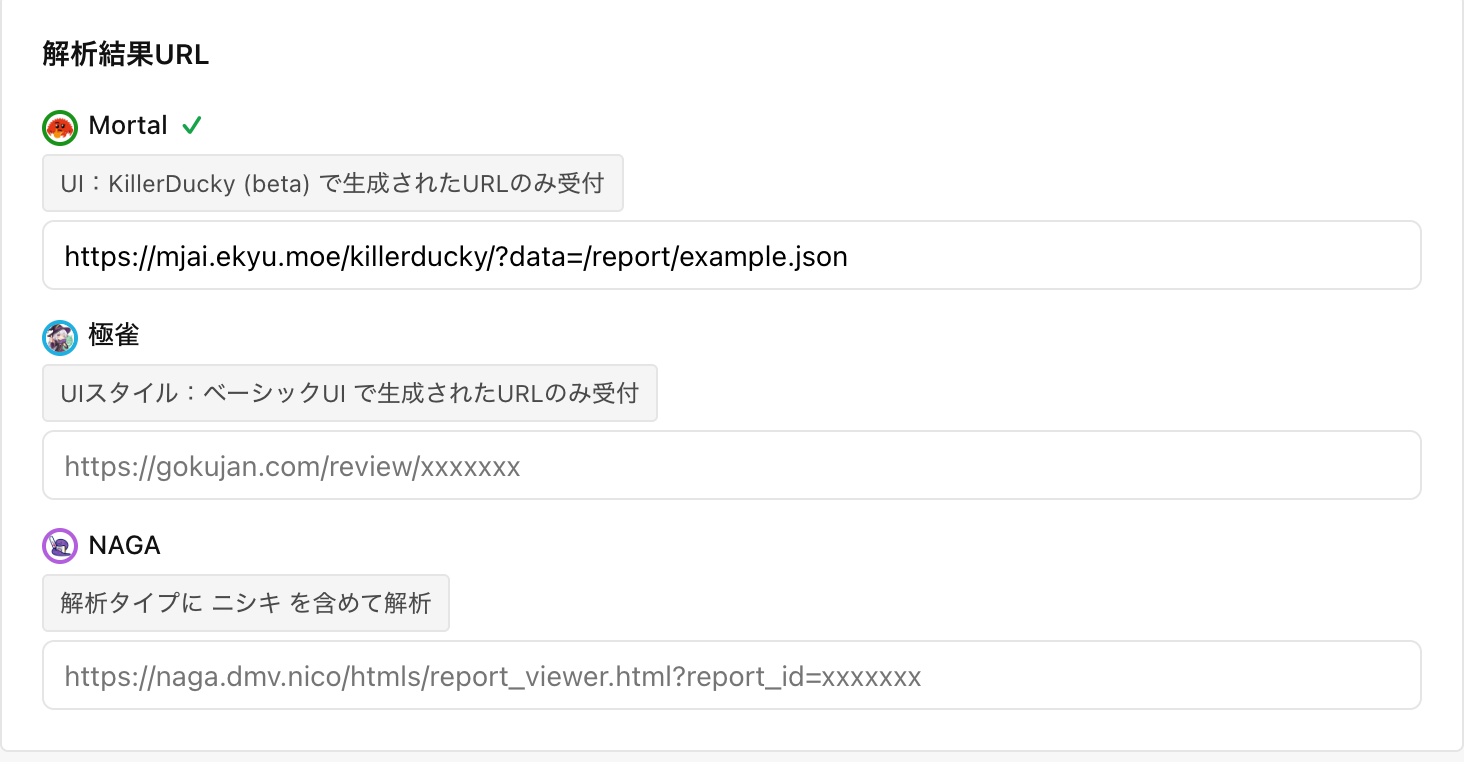
Just paste each AI’s result page URL into its field.
4Compare in the combo review
Press “Combo review” in the list to see all three AIs on one screen.

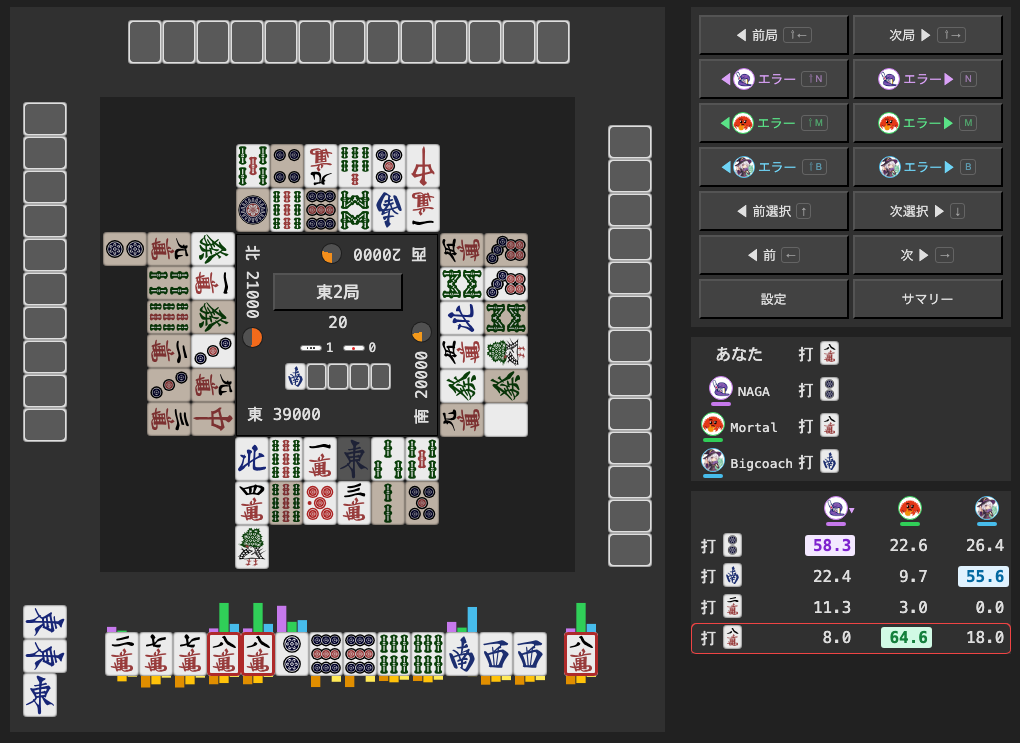
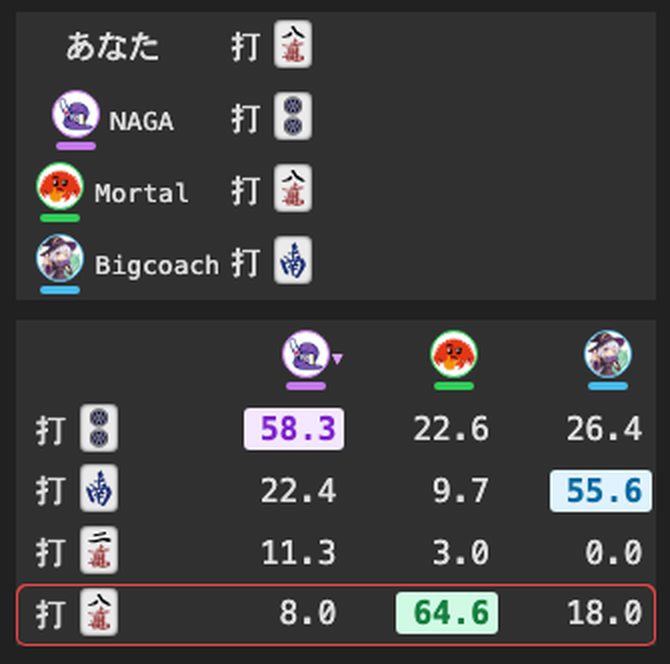
- Bars above the hand = each AI’s recommendation (purple = NAGA / green = Mortal / blue = Gokujan). Disagreements are worth studying
- Table on the right = recommendation (%) per candidate discard. The red frame is your actual discard
- Error buttons jump to possible mistakes. The summary shows match rates for the game
FAQ
Is it free?
This tool is free. Use of each AI service (such as NAGA analysis) is subject to that provider’s terms.
Do I need an account?
Not for this tool. The AI services themselves may require accounts.
Can I use just one AI?
Yes. A Mortal result URL alone is enough to open the combo review; adding NAGA and Gokujan adds more columns to compare.
Which replays are supported?
Tenhou and Mahjong Soul replay URLs.
Where is my data stored?
Your list is stored only in your browser and never on the server. Use “Export” to back it up and “Import” to restore.
Does it work on phones?
Yes, it works in mobile browsers. Landscape orientation is recommended because the screen is dense.
My result URL isn’t accepted
Only URLs from Mortal’s “KillerDucky (beta)” UI and Gokujan’s “Basic UI” style are accepted. For NAGA, include “ニシキ (Nishiki)” in the analysis type.